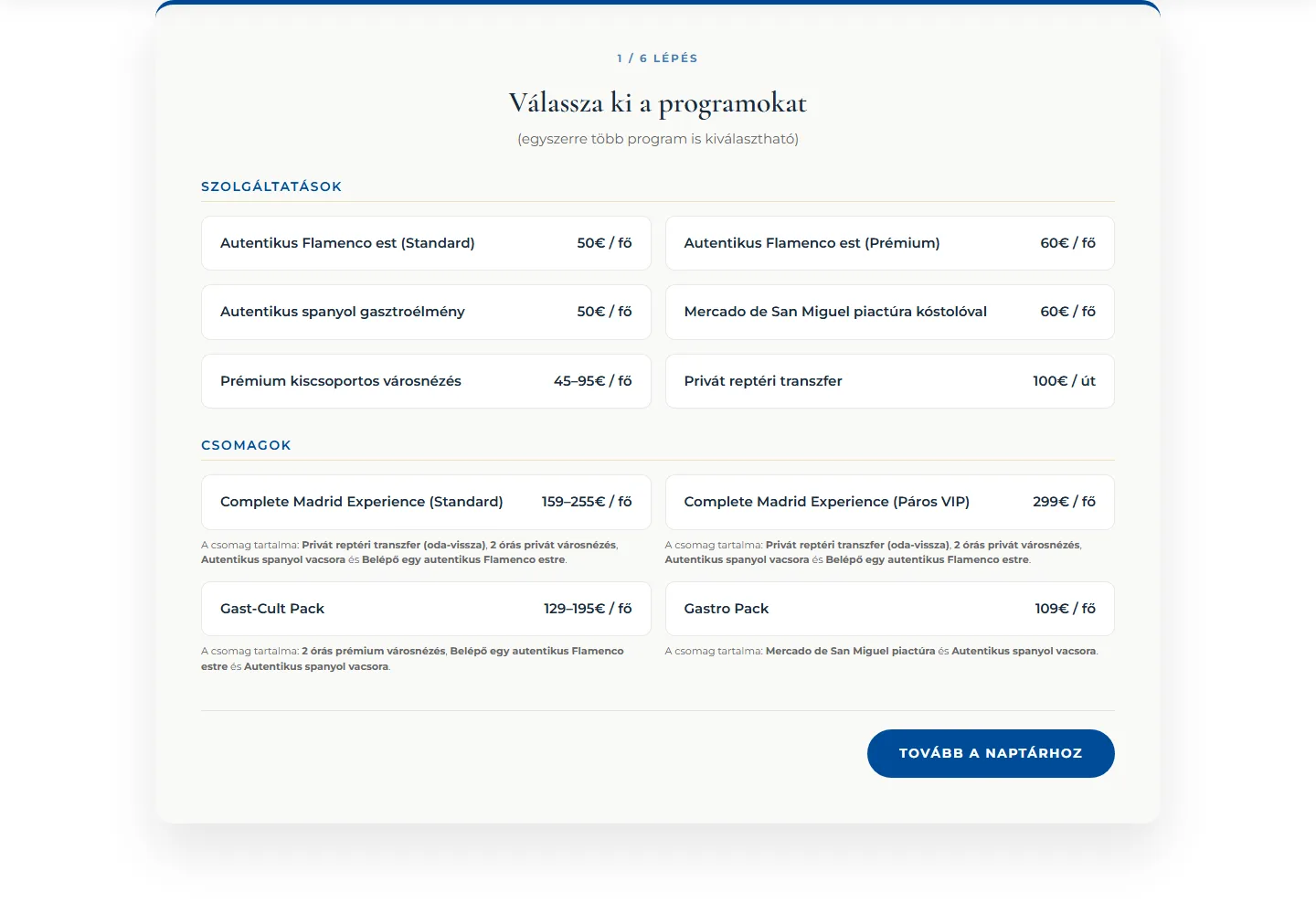
The client Under the trade name Rollio De Madrid, Tibor Terdik organizes experiences in Madrid: airport transfers, premium small-group sightseeing tours, flamenco evenings, culinary market tours, and cultural packages. Guests can choose from eight individual programs and packages, or even several at once. Because guests book in Hungarian, English, and Spanish, I built the entire process in all three languages. 01 — The booking wizard When a prospective customer opens the site, the six steps in the wizard condense the entire trip-planning process into a single flow. In the first step, they can select both a flamenco evening and a sightseeing tour from the eight activities and packages. In the second step, they choose the exact date and time from a calendar. In the third, they enter the number of guests: the code instantly counts regular guests and wheelchair users separately, records the number of pieces of luggage and the language of the guided tour, and asks about food allergies in a text field. By the time the booking reaches you, the visitor has already answered all your logistical questions on the site, so you can start organizing the activities right away. Accurately pricing add-ons is usually the most time-consuming task, but here the code handles it entirely. In the fourth step, the visitor configures Escapadas Plus travel insurance by selecting the geographical coverage, the trip cancellation coverage limit, and the trip duration. The custom pricing engine then instantly displays the exact price from 24 insurance premium combinations (2 regions × 3 coverage limits × 4 durations). Visitors who already have their own insurance can skip this section with a single click, and the Stripe payment is processed after they accept the required agreement. This solution eliminates manual administration: the system automatically calculates insurance premiums and prices complex packages, so the payment and the completed form arrive in your account at the same time. 02 — The lead-generating map It’s frustrating when you publish your most valuable resources on your website, visitors read them and close the window, and you never find out who they were. On the Rollio website, a card below the program list offers them a downloadable Madrid map. When a visitor hovers over it, the card expands, and a download button appears next to the map description. After they click, a pop-up displays just two fields – name and email address – that the visitor fills out right away. The moment the form is submitted, the system starts the download on the visitor’s device and immediately sends the data to the Rollio team. With this built-in process, the map works in the background as an automated lead-generation tool: the visitor gets the valuable resource, and you get their email address right away. 03 — What it’s built on When a guest enters their own details and those of up to four travel companions, the site instantly generates a service contract in their name. The visitor selects one of three available languages (Hungarian, English, Spanish), and the code presents the entire process in their chosen language, including the generated contract. When entering the number of passengers, wheelchair users can be selected as a separate category, so you immediately and automatically see any special vehicle requirements. Accepting the contract is a required step before payment: the customer must download the document and approve the terms by checking a box, or the system will not let them continue. If anyone later disputes the terms, you can find the relevant booking in your admin interface. At the moment of download, the system works in the background and immediately records 3 pieces of logged evidence (IP address, browser ID, timestamp), showing exactly where and from what device the guest submitted the request, and when. Because the site handles everything automatically, you can stop manually sending paperwork and waiting for signatures. If a complaint arises, the searchable electronic documentation is immediately at your fingertips. 0 contracts handled manually during the booking process. From selecting a program to accepting the contract and making payment, every step runs in a single custom-coded system. The result Visitors simply select one of the eight programs, enter the area and duration for the Escapadas Plus insurance, accept the automatically generated contract, and then pay the total through Stripe – all in one trackable process. The process consists of exactly six steps in Hungarian, English, or Spanish: guests stay on the same interface from selecting a program to accepting the contract, and then complete the payment through Stripe. The same interface also offers them a downloadable digital map, rather than sending them to a separate store. You see a fully completed, paid booking on your computer without having to send a single document manually. Design system The site is built around Rollio gold (#D4AF37) and brand midnight blue (#1A2A3A). Headings use Cormorant Garamond, while body text uses Montserrat. Cormorant Garamond Heading font · 400 · 600 · 700 The quick brown fox jumps over the lazy dog Montserrat Body font · 400 · 500 · 700 The quick brown fox jumps over the lazy dog Mobile On mobile, the homepage and the first step of the booking wizard feature the same gold and midnight blue look and touch-optimized controls as the desktop interface.
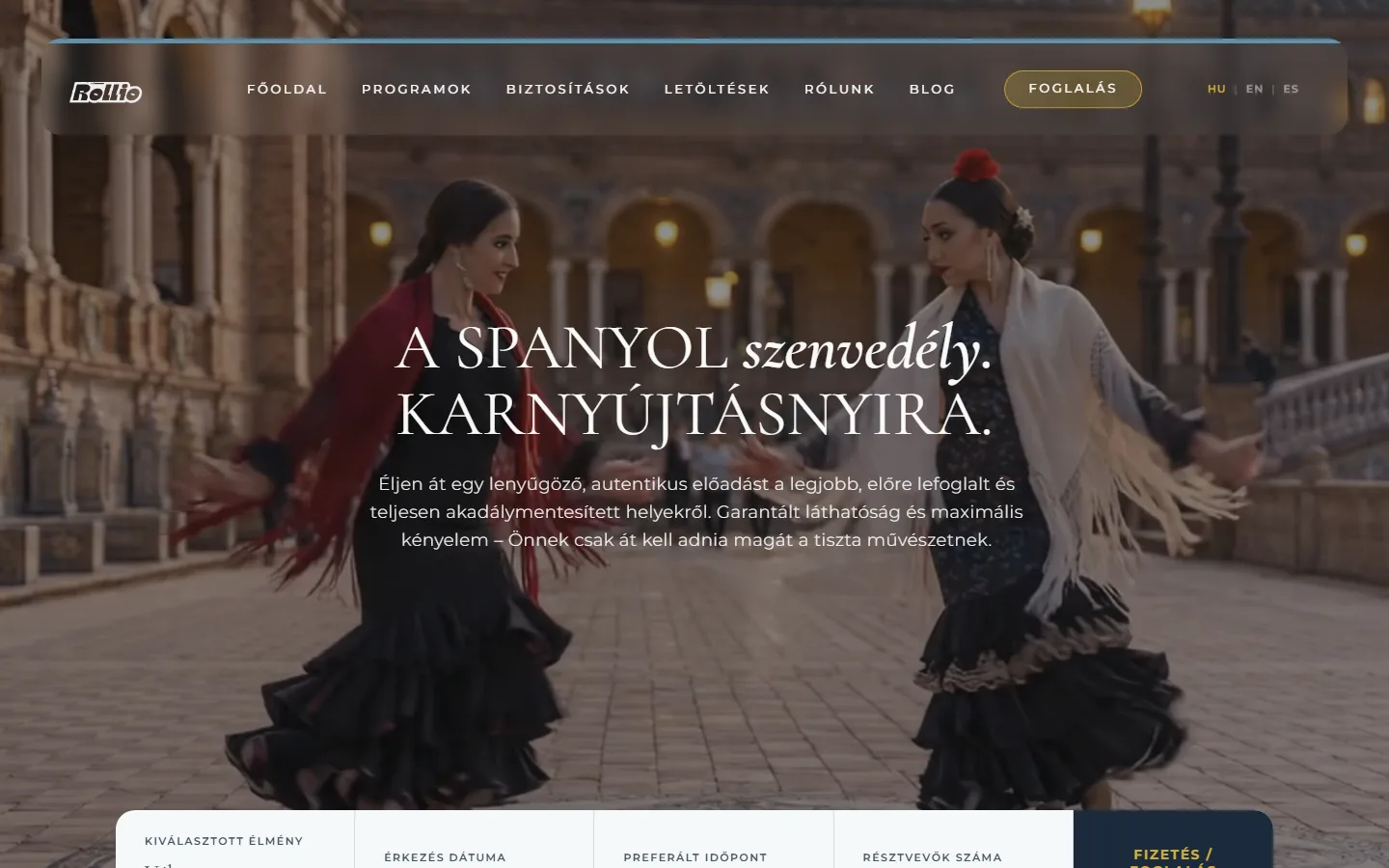
Eight Madrid experiences on one booking platform, in three languages.
Six steps from choosing an activity to a paid, insured trip
The automatic download that instantly turns your freebie into an email address
The system that generates the contract and logs its acceptance
Eight programs, insurance, and a digital contract linked into one trackable journey
Gold accents and deep midnight blue.
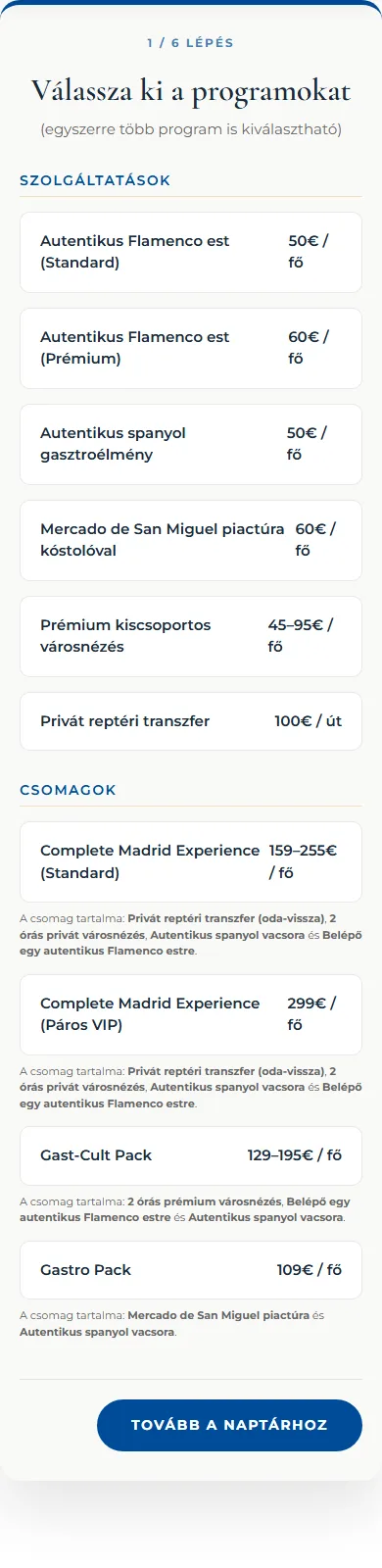
The six-step wizard guides users through booking on mobile, too.

#D4AF37Rollio gold
#1A2A3ABrand midnight blue